

Controls
Dashboard
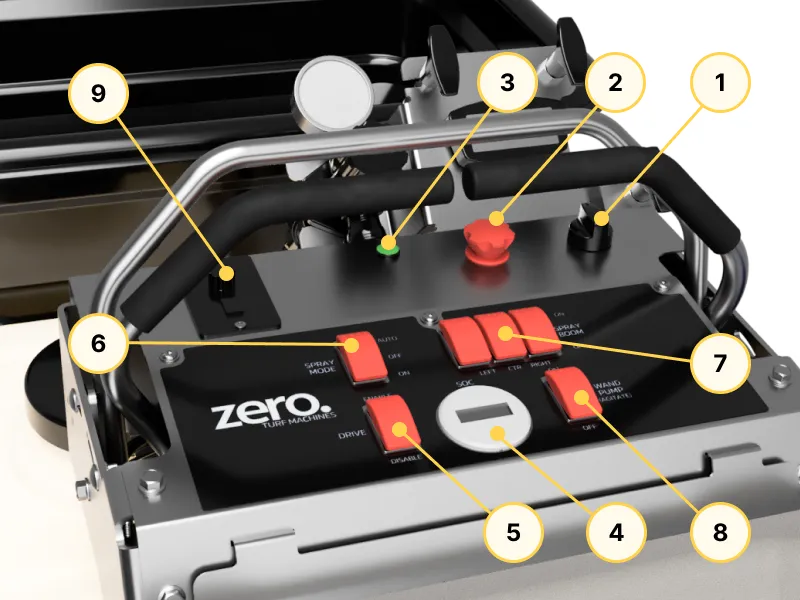
- Ignition Key
- E-Stop
- LED Status Indicator
- Battery Monitor Display
- Drive Enable Switch
- Spray Mode Switch
- Spray Shutoff Switches (LEFT/CTR/RIGHT)
- Wand Pump Switch
- Hopper Motor Control
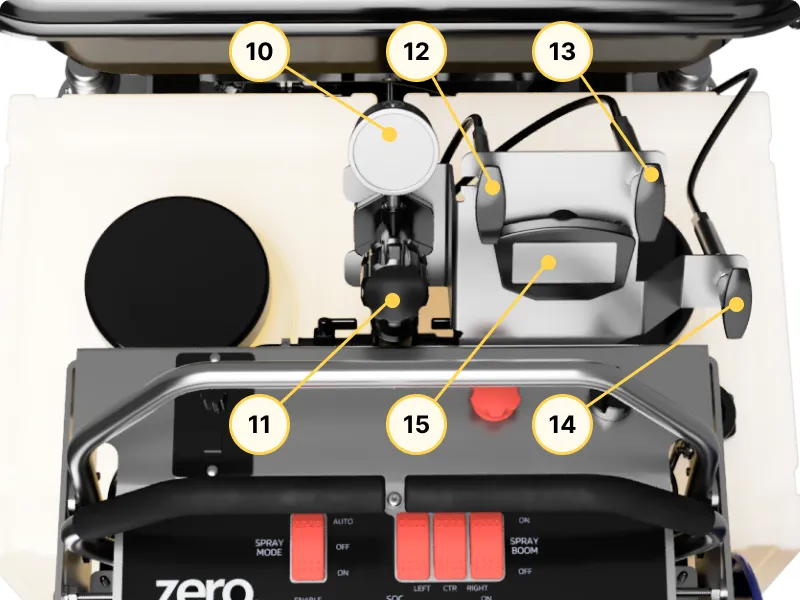
- Pressure Gauge
- Pressure Adjust Dial
- Hopper Gate Open/Close
- Hopper Spread Pattern Control
- Hopper Deflector Adjustment
- Speedometer
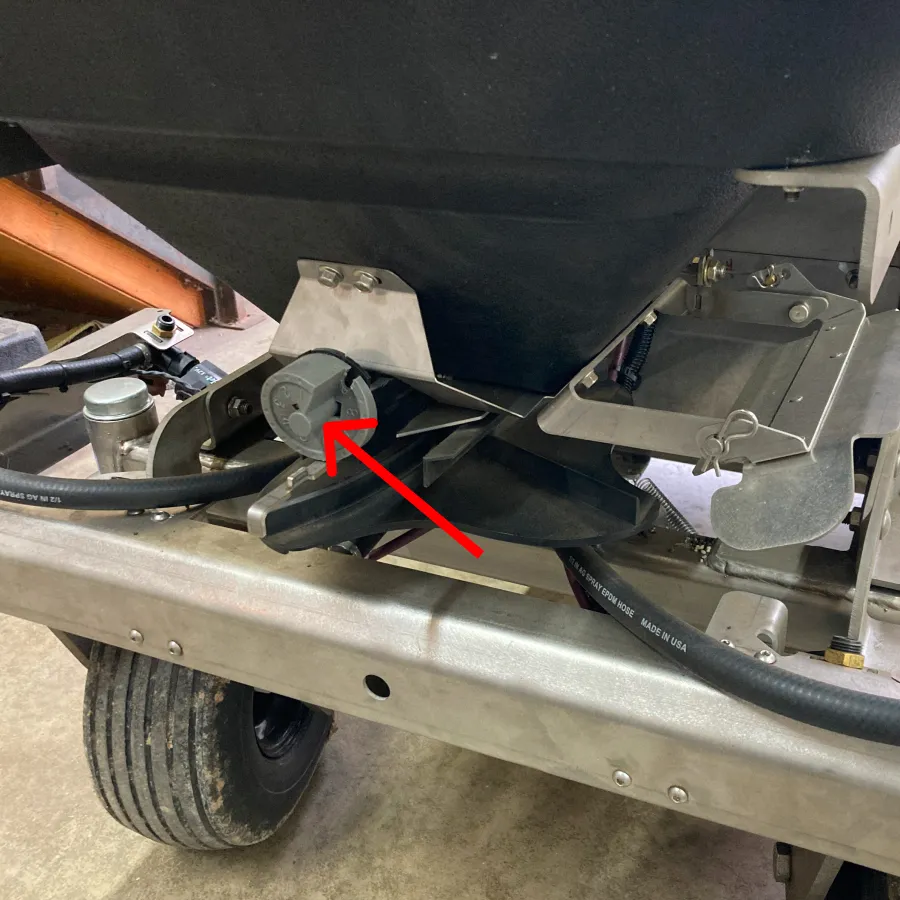
- Hopper Rate Adjust Dial (Above)
Ignition Key
This is the primary ON/OFF switch for the GR96. The key can be removed for security.
E-Stop
Emergency stop switch. Pressing it will immediately disable all drive functions.
To release, rotate the switch counterclockwise.
LED Status Indicator
Indicates the machine state. Refer to Machine State for further details.
Battery Monitor Display
Displays various information regarding the battery, such as:
- Battery voltage
- Battery State of Charge
- Battery Current
Drive Enable Switch
Enables or disables the drive motors.
Spray Mode Switch
Toggles the boom spray modes. Refer to the Sprayer Operations for further details.
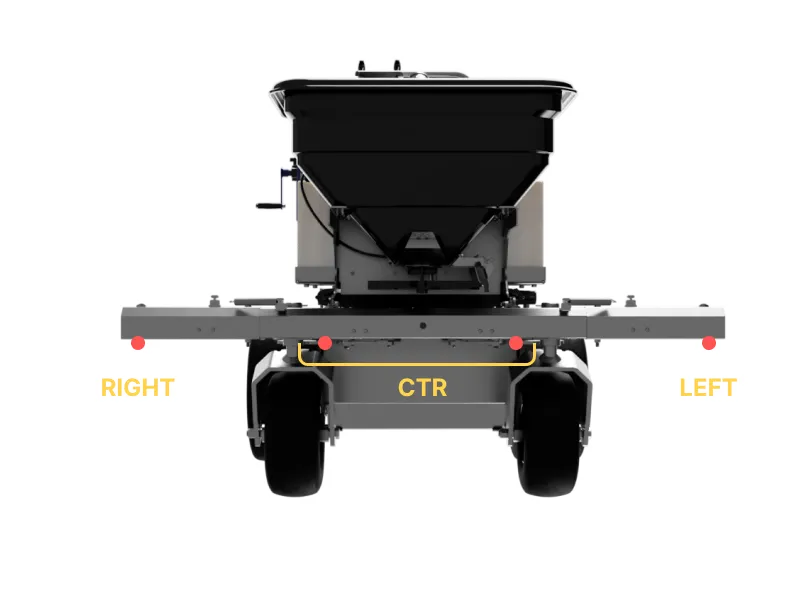
Spray Shutoff Switches
Opens or closes the respective boom spray nozzles as desired. Each of the LEFT-CTR-RIGHT switches control the following nozzles:
Wand Pump Switch
When switched ON, the sprayer pump is turned on and the handheld spray gun can be used by squeezing its trigger.
Hopper Motor Control
Switch ON/OFF the hopper motor as well as control its rotation speed.
Pressure Gauge
Indicates the pressure of the sprayer system.
Pressure Adjust Dial
Use this to adjust the sprayer system pressure.
Hopper Gate Open/Close
Starts or shuts off the flow of the product. To control the spread rate when the gate is opened, use the adjust dial located on the front of the hopper.
Hopper Diffuser
Use this to limit the spread of the product on the left side of the machine’s travel direction.
Hopper Spread Pattern Control
Adjusting this cable will modify the spread patthern of the product. You can lay the product more densely on the left, on the right, or spread evenly in both directions.
Speedometer
Displays the current vehicle speed, cumulative drive distance (odometer), and the current ambient temperature.
Hopper Rate Adjust Dial
Control the amount of gate opening when the hopper gate is opened.