

Spreader System
Spreader Operation
To operate the spreader system, you will use:
- The three push-pull cables near the spedometer,
- The rate adjust dial at the front of the hopper, and
- The hopper motor controller
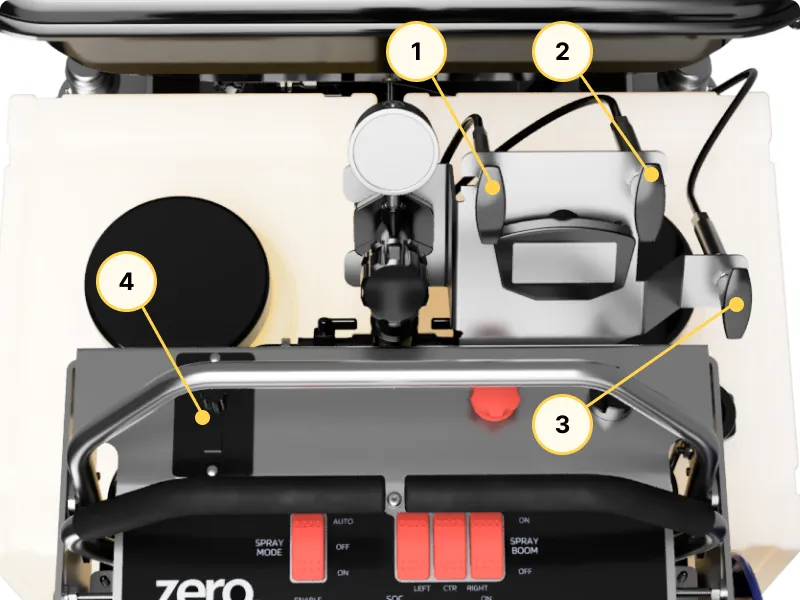
- Gate Open/Close
- Spread Pattern Control
- Deflector
- Hopper Motor Controller
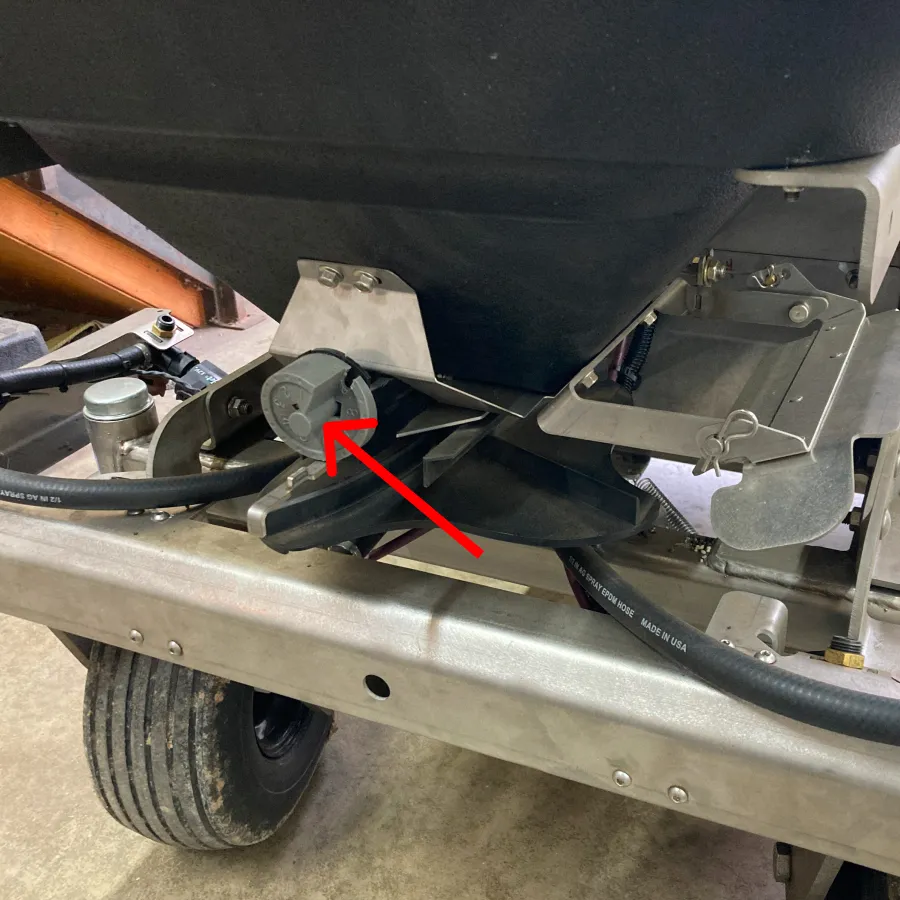
Above: Hopper Rate Adjust Dial
To begin spreading the product,
- Turn on the hopper motor (#4 above)
- Open the hopper gate (#1 above)
To adjust how, and how much product is spread, refer to the next section.
Spreader Adjustments
Overall spread rate is controlled by the rate adjust dial at the front of the hopper.
The spread width is controlled by the hopper motor speed dial.
The Spread Pattern Control cable (#2 above) can be used to focus the product spread on the left side, right side, or to spread evenly in all directions.
Finally, use the Deflector (#3 above) to limit the spread on the left side when needed (such as when spreading near the edge of a property).
Spreader Maintenance
Refer to this page for information on maintaining the spreader and its components.